


Why a Two Way Video Gate Intercom Matters
Here is a surprising fact about modern gate security. A gate operator and its access control system may be evaluated under different safety and security standards. UL Solutions explains that UL 325 addresses gate operator safety, including entrapment protection. Meanwhile, UL 294 covers access control system security. Therefore, a secure entrance needs more than a camera or gate opener alone. It needs parts that work together safely and correctly.
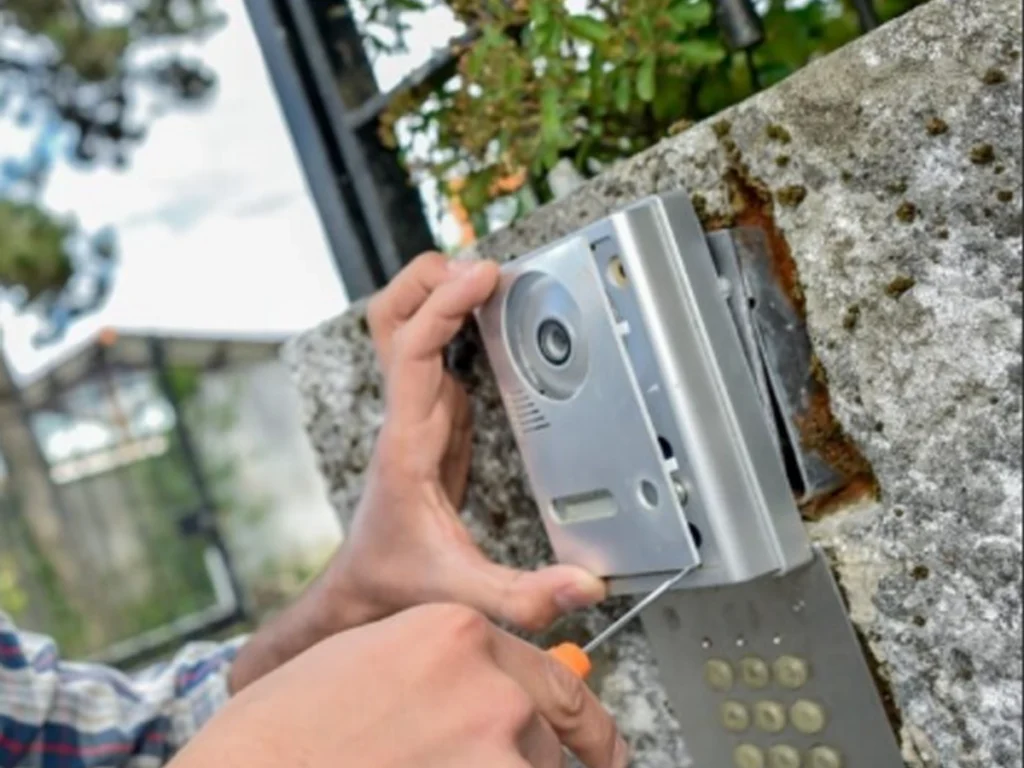
A two way video gate intercom lets a visitor and property occupant speak in real time. In addition, its camera lets the occupant see the person before deciding whether to open the gate.
As a result, the owner does not need to rely only on a voice, shared code, or vehicle description. Instead, the owner can review visual and spoken details before granting entry.
This added context can help homeowners, office teams, property managers, and community staff make better access decisions. Moreover, remote controls can make the process faster for deliveries, guests, workers, and service providers.
A properly designed system should support both security and daily convenience. However, the intercom must also match the gate, property layout, internet service, traffic level, and user needs.
Key benefits include:
- Clear voice and visual visitor verification
- Controlled gate access without approaching the entrance
AI Overview
A two way video gate intercom is an entry communication system that combines a camera, microphone, speaker, call control, and gate release function. When a visitor arrives, the visitor presses a button or selects a contact. The system then sends a live audio and video call to an indoor monitor, guard station, telephone, or mobile application.
The person receiving the call can see and speak with the visitor before opening the gate. Depending on the equipment, the user may release the gate remotely, deny access, record an event, or issue temporary visitor credentials.
The best system depends on the property. Homes may need a simple camera and mobile application. In contrast, apartments and commercial sites may require resident directories, access logs, multiple user roles, and links to wider security systems.
Professional planning remains important. The installer should review camera position, night visibility, audio clarity, network strength, wiring, weather exposure, gate controls, safety devices, and user privacy. The goal is not simply to add technology. Instead, the goal is to create a clear, safe, and dependable entry process.
What Is a Two Way Video Gate Intercom?
A two way video gate intercom connects a person outside the property with someone who can approve or deny entry.
The visitor station normally sits near the driveway gate, pedestrian entrance, or call box lane. Meanwhile, the receiving device may be located inside a home, office, management station, or mobile phone.
Unlike an audio only system, a video intercom provides visual information. Therefore, the person inside can compare the caller’s face, clothing, vehicle, package, or identification with the reason for the visit.
Most systems contain these parts:
- An outdoor camera and visitor call station
- A microphone and speaker for live conversation
- An indoor screen, telephone connection, or mobile application
- A relay that can send an open command to the gate
- Power, communication wiring, cellular service, or a data network
- User settings for residents, employees, or property managers
The system may also include:
- Night vision or low light imaging
- Motion detection
- Call recording
- Visitor event logs
- Temporary access codes
- Mobile notifications
- Several entrance stations
- Links to cameras or access control software
The system becomes valuable because it gives the decision maker more information. Consequently, access can be based on direct confirmation rather than a guess.
How Does the Intercom Process Work?
The basic entry process is simple. However, each step should be configured for the people who use the property.
First, the visitor stops near the call station. Then, the visitor presses a button, searches a directory, or enters a unit number. Next, the system sends the call to the correct person.
The recipient sees the camera view and hears the visitor. After verification, the recipient may open the gate through the screen, phone, or application.
A typical process follows these steps:
- The visitor reaches the gate entrance.
- The visitor starts a call from the intercom.
- The system contacts the selected user.
- The camera displays the visitor and nearby area.
- Both people speak through two way audio.
- The user confirms the reason for the visit.
- The user grants or denies access.
- The system may save an event record.
During this process, the user can check:
- Whether a delivery vehicle has the correct company details
- Whether the caller can explain the purpose of the visit
Modern systems may send video calls to smartphones and provide remote gate release. Some systems also provide searchable activity records and visitor access tools. However, features vary by manufacturer, model, service plan, and installation.
Why Video Adds Stronger Visitor Screening
Audio communication can confirm what a caller says. Nevertheless, audio alone cannot show who is actually present.
A person may claim to represent a delivery company, maintenance provider, or utility service. With video, the recipient can inspect visible details before opening the gate.
Video is not a perfect identity check. Still, it supplies useful context that an audio only call cannot provide.
Video can help the user observe:
- The visitor’s face and general appearance
- The company name shown on clothing or a vehicle
- Packages, tools, or identification held by the visitor
- The number of people near the entrance
- Signs that the caller may be at the wrong property
- Unsafe activity around the moving gate
Video may be especially useful for:
- Unplanned deliveries
- Evening visitors
- Temporary contractors
- Community entrances
- Commercial loading areas
- Homes with long driveways
- Properties where the gate cannot be seen from the building
For Carrollton property owners, the main value is controlled distance. The occupant can evaluate the visitor without walking outside or opening the gate first.
Readers planning a full entrance can also review how custom gates with intercom options improve screening.
How Two Way Audio Improves Communication
Video provides context, while two way audio provides direct explanation.
For example, a delivery driver may need instructions about where to leave a package. A contractor may need confirmation about the correct entrance. Similarly, a guest may need help finding a building or parking space.
Clear communication can reduce confusion before the gate opens.
Two way audio allows users to:
- Ask the visitor’s name
- Confirm the purpose of the visit
- Give parking or delivery directions
- Explain that access cannot be granted
- Tell the visitor to wait safely
- Contact another resident or employee
- Respond without leaving the building
Good audio performance depends on:
- Proper speaker volume
- Clear microphone placement
- Protection from traffic and wind noise
- Suitable mounting height
- Reliable network or wiring
- Correct equipment settings
- Routine cleaning and testing
An intercom should be tested during normal traffic conditions. Otherwise, a system that sounds clear during installation may be difficult to hear when vehicles, wind, or equipment create noise.
Why Remote Gate Release Adds Convenience
Remote gate release allows an approved user to open the entrance from another location.
At a home, the user might answer from a kitchen monitor or mobile phone. At a business, a receptionist or security worker may control the gate from a desk. In a managed community, residents may answer their own visitor calls.
Therefore, the user does not need to walk to the gate or hand out permanent codes for every visitor.
Remote release can help with:
- Family and invited guests
- Food and parcel deliveries
- Repair technicians
- Cleaning and landscape teams
- Emergency or support services
- Office visitors
- Approved vendors
However, remote release should require:
- Clear visitor verification
- Secure user accounts
- Limited staff permissions
- A reliable gate control connection
- Training for regular users
- A process for lost phones
- A plan for internet or power failures
Convenience should not remove judgment. The person receiving the call should still confirm the visitor before sending an open command.
What Is the Difference Between Wired and Wireless Systems?
Both wired and wireless intercoms can support two way audio and video. However, their communication methods differ.
A wired system uses physical cables between the outdoor station and other equipment. A wireless system may use WiFi, cellular service, radio signals, or a mixture of connections.
Neither option is always best. Instead, the right choice depends on distance, site conditions, construction access, network strength, and expected use.
Wired systems may offer:
- Stable communication over planned cable routes
- Less dependence on local wireless coverage
- Direct links to indoor stations
- Reliable performance when properly installed
- A suitable option during new gate construction
Wireless systems may offer:
- Less trenching in some settings
- Mobile access
- Easier connection to remote users
- Flexible placement options
- Faster updates to user access
- A practical choice for some existing properties
However, wireless does not mean that no wires are needed. The visitor station may still require power, a gate control connection, or network equipment.
Likewise, long distances or barriers can weaken some signals. Therefore, a site test should take place before the final system is selected.
Which Features Should Carrollton Owners Consider?
The best features are the ones that solve real entry problems.
A homeowner may need reliable mobile answering and a clear night image. Conversely, a business may need several user roles, event records, directory controls, and scheduled access.
Decision makers should define their access process before comparing equipment.
Important communication features include:
- Clear video during daylight and darkness
- Wide enough camera coverage
- Noise control for two way audio
- Fast call delivery
- Adjustable call volume
- Simple user controls
- Mobile and indoor answering options
Important access features include:
- Remote gate release
- Temporary visitor access
- User permission controls
- Activity records
- Several property contacts
- Integration with access control
- Emergency operating procedures
Important outdoor features include:
- Weather resistant housing
- Vandal resistant construction
- A readable display
- Proper vehicle approach placement
- Sun and glare control
- Lighting near the visitor station
- Accessible call button placement
A detailed selection guide is also available in this article about choosing the right gate intercom system.
How Should Camera Placement Be Planned?
The camera should show the visitor clearly without creating a confusing or invasive view.
If it is mounted too low, a vehicle or object may block the image. If it is too high, the camera may show the top of a person’s head rather than the face.
Likewise, strong afternoon sunlight can create glare. Darkness can also reduce useful detail unless lighting and night imaging are considered.
The installer should evaluate:
- Normal visitor stopping distance
- Driver and pedestrian height
- Camera angle
- Vehicle lane width
- Sun direction
- Night lighting
- Nearby plants and signs
- Areas outside the camera view
The final view should help show:
- The visitor’s face
- The vehicle beside the call station
- Packages or visible identification
- Other people near the entrance
- The gate movement area
- Enough background to understand the scene
The camera should focus on the entrance rather than unrelated private areas. Therefore, property boundaries, neighboring homes, sidewalks, and privacy needs should be considered.
How Do Privacy and Cybersecurity Affect the System?
A connected camera can improve awareness. However, it may also collect video, audio, account information, and access records.
The Federal Trade Commission advises users to secure connected cameras by choosing strong passwords, enabling added account protection when available, updating software, and reviewing device settings. The FTC also warns that poor camera security can expose private video to unauthorized access.
Therefore, cybersecurity should be part of the installation plan rather than an afterthought.
Property owners should consider:
- Who can view live video
- Whether calls or clips are recorded
- How long records are stored
- Where data is stored
- Which people have administrator access
- How former users are removed
- Whether software updates are available
- What happens when a phone is lost
Helpful security practices include:
- Use a unique account password.
- Enable added login verification when offered.
- Change default administrator details.
- Update the application and system software.
- Remove access for former staff or residents.
- Limit permissions to necessary users.
- Secure the property network.
- Review stored video settings.
- Keep an inventory of connected equipment.
CISA notes that cyber and physical systems can create shared risks when connected. For that reason, organizations should avoid treating gate access and network protection as unrelated tasks.
How Does the Intercom Connect With Access Control?
An intercom answers the question, “Who is asking to enter?” Access control answers the question, “What permission should this person have?”
When combined, the systems can support a more complete entry process.
For example, residents may use assigned credentials for daily access. Visitors may call through the intercom. Staff may use cards, mobile credentials, or codes. Meanwhile, property managers may control schedules and user permissions.
Integration may connect the intercom with:
- Automatic gate operators
- Keypads
- Card readers
- Mobile credentials
- Vehicle access systems
- Security cameras
- Guard stations
- Property management tools
- Visitor records
A connected process may allow:
- Live visitor calls
- Visual confirmation
- Remote gate release
- Temporary access rights
- Access event review
- Faster removal of old users
- Different permissions for different groups
However, the access control function and gate safety function must be coordinated correctly. UL Solutions explains that gate operator safety and access security have different purposes within the overall entrance system.
Readers considering broader upgrades may also explore connected gate intercom technology in Carrollton.
Why Gate Safety Must Remain a Priority
An intercom can tell the gate to open. However, the intercom does not replace the safety devices used around a moving automatic gate.
Automatic gates can create entrapment and impact hazards when they are poorly designed, damaged, or missing suitable protection. UL 325 addresses risks connected with powered gate operators, including entrapment protection requirements.
Therefore, the full entrance should be inspected rather than treating the intercom as a separate device.
A professional review should examine:
- Gate operator condition
- Photo eyes and other sensors
- Entrapment protection
- Gate travel area
- Control wiring
- Emergency access
- Warning signs
- Pedestrian routes
- Vehicle stopping location
Users should never:
- Open the gate without checking the entrance
- Allow children to play near the gate
- Stand within the gate travel path
- Block or bypass safety sensors
- Use the intercom to test a damaged operator
- Assume the camera shows every hazard
A strong access system should improve control without reducing physical safety.
What Happens During Professional Installation?
Professional installation begins with questions rather than equipment.
The contractor should first learn who uses the entrance, how often visitors arrive, who approves access, and what problems the current system creates.
Next, the contractor should inspect the gate, operator, power supply, network options, vehicle lane, pedestrian route, mounting area, and existing access controls.
The planning stage normally reviews:
- Property type
- Visitor volume
- Number of users
- Required answering devices
- Gate operator compatibility
- Camera and call station placement
- Power and communication routes
- Mobile service or network quality
- Privacy and recording preferences
Installation may then include:
- Mounting the visitor station
- Running approved wiring
- Configuring network equipment
- Connecting the gate release relay
- Setting up users
- Adjusting video and audio
- Testing the gate command
- Reviewing safety devices
- Training the owner or staff
- Recording system details
The system should be tested during both day and night. In addition, calls should be tested from every intended receiving device.
Property owners planning a larger entrance project may review the complete Carrollton swing gate installation process.
What Common Installation Mistakes Cause Problems?
Many intercom problems begin with planning errors rather than failed hardware.
For example, an installer may place the call station where drivers cannot reach it. Similarly, the camera may face direct sunlight or show only part of the visitor.
Weak network coverage can also cause delayed calls or broken video. In addition, unclear user permissions may give too many people control of the gate.
Common placement mistakes include:
- Mounting the camera at the wrong height
- Placing the station too far from vehicles
- Ignoring glare and nighttime lighting
- Allowing plants to block the view
- Failing to protect equipment from impact
- Creating an unsafe stopping position
Common technical mistakes include:
- Using weak network coverage
- Failing to protect outdoor connections
- Skipping gate compatibility checks
- Leaving default passwords active
- Giving every user administrator control
- Failing to test power loss procedures
- Ignoring gate safety devices
A careful site survey helps prevent these problems before installation begins.
How Should the Intercom Be Maintained?
Routine maintenance helps preserve call quality and reliable operation.
Outdoor stations collect dust, insects, water spots, and plant debris. Camera covers may become cloudy. Speaker openings may become blocked. Connections may also loosen after vibration or weather exposure.
Moreover, mobile applications and connected equipment may need software updates.
Regular owner checks should include:
- Clean the camera cover carefully.
- Test two way audio.
- Confirm mobile notifications.
- Check the call button.
- Review the camera view.
- Remove plants from the station.
- Check lighting near the entrance.
- Confirm that approved users can answer.
Professional service may include:
- Inspecting outdoor seals
- Testing wiring and connections
- Reviewing network performance
- Updating system settings
- Checking gate release controls
- Removing old user access
- Testing backup procedures
- Reviewing connected safety equipment
A maintenance schedule should reflect property use. A busy commercial entrance may need checks more often than a lightly used home gate.
Which Properties Benefit Most From Video Intercoms?
A two way video gate intercom can support many property types. Still, the expected benefits differ by site.
Homes may value privacy and convenience. Communities may need visitor routing. Businesses may focus on records, staff control, and delivery management.
Residential users may gain:
- Safer visitor screening
- Remote access for guests
- Better delivery communication
- Added awareness at long driveways
- Fewer permanent access codes
- Easier after hours answering
Commercial users may gain:
- Central visitor approval
- Better vendor coordination
- Controlled delivery access
- Separate staff permissions
- Access activity records
- Reduced need to staff the gate
Managed communities may gain:
- Resident call routing
- Updated directories
- Visitor confirmation
- Remote management
- Temporary guest access
- Clearer entry procedures
The right system should match the property rather than forcing every user into the same process.
A Practical Carrollton Intercom Example
Consider a Carrollton property with a driveway gate that cannot be seen clearly from the building.
Under the old process, a visitor calls the owner’s telephone after arriving. However, the owner cannot confirm whether the caller is truly waiting at the gate. The owner may also share a permanent code with regular service providers.
A two way video gate intercom can create a clearer process.
The updated process could be:
- The visitor presses the gate call button.
- The owner receives a video call.
- The owner asks the visitor’s name and purpose.
- The camera confirms visible details.
- The owner gives delivery directions.
- The owner opens the gate remotely.
- The gate closes after the approved entry.
This example may reduce:
- Dependence on shared permanent codes
- Trips from the building to the gate
- Confusion during deliveries
- Entry by unexpected visitors
- Missed visitor calls
- Unclear access decisions
This is an example workflow rather than a claim about a specific customer project. Actual results depend on the selected equipment, property conditions, installation quality, network service, and user practices.
How Should Decision Makers Compare Proposals?
A low equipment price does not always represent the full project cost.
Decision makers should compare installation scope, user licenses, storage fees, mobile services, warranty support, training, maintenance, and future expansion.
They should also confirm whether the proposal includes gate integration and safety testing.
Ask each provider about:
- Camera and audio performance
- Outdoor equipment rating
- Gate operator compatibility
- Wired and wireless requirements
- Mobile application support
- Monthly or yearly fees
- Video storage choices
- User limits
- Warranty coverage
- Service availability
A complete proposal should identify:
- Included hardware
- Installation labor
- Wiring and network work
- Gate control connections
- User setup
- Testing and training
- Optional services
- Ongoing fees
- Excluded work
- Expected owner responsibilities
A clear proposal helps prevent surprise costs and incomplete integration.
Five Frequently Asked Questions
Can a gate intercom open an automatic gate?
Yes. Many gate intercoms can send an open command through a correctly installed relay or access control connection. However, the intercom and gate operator must be compatible. The gate must also retain its required safety devices. A professional should inspect the operator before connecting remote release controls.
Does a video gate intercom need internet service?
Some systems require internet access for mobile calls, cloud management, remote updates, or video storage. Other systems can communicate through local wiring, telephone service, or cellular connections. Therefore, the answer depends on the chosen equipment. A site survey should verify which communication options are reliable at the entrance.
Can I answer a gate intercom from my phone?
Many modern systems allow authorized users to receive visitor calls through a mobile application. The user may see the visitor, speak with them, and release the gate remotely. However, performance depends on the system, account settings, internet connection, mobile service, and whether the gate controls were configured correctly.
Are wireless gate intercoms reliable?
A wireless intercom can be reliable when the signal, equipment, power supply, and installation suit the property. However, long distances, walls, metal structures, interference, and weak data service can affect performance. A professional signal test is important before equipment is purchased, especially at long driveways or remote entrances.
Can gate intercom video be recorded?
Some systems can save calls, images, or entry events. However, recording features and storage periods vary. Property owners should review privacy settings, access permissions, notice requirements, vendor policies, and applicable laws. Only approved users should access stored video, and accounts should use strong security settings.
Conclusion: Build a Clearer and Safer Entry Process
A two way video gate intercom gives property owners more information before they open an entrance.
Video shows who is present. Two way audio lets the visitor explain the reason for the visit. Remote gate release then allows the approved user to control entry without approaching the gate.
However, strong results depend on more than the intercom unit. Camera placement, audio quality, network strength, account security, gate compatibility, safety devices, and user training all matter.
Therefore, the best project begins with a complete site assessment. A professional should review the entrance, identify daily access needs, and recommend a system that fits the property.
Everlast Gates & Fence helps Carrollton homeowners, businesses, and property managers plan gate systems that combine communication, visitor screening, and convenient access. The goal is a practical entrance that users can understand and trust.
Contact Everlast Gates & Fence
Improve visitor screening before the next unexpected arrival. Contact Everlast Gates & Fence to discuss a professionally planned two way video gate intercom for your Carrollton property.
At Everlast Gates & Fence, we also offer reliable gate and fence services tailored to residential and commercial properties. Specializing in installing, repairing, and maintaining iron and wood gates and fences along with expert solutions for electric gates, automatic gates, sliding gates, and driveway gates. We also provide professional gate diagnostics, access control systems, customized designs, and comprehensive security enhancements to meet your unique needs and let us ensure your gates are in expert hands so you can enjoy safety, style, and convenience with complete peace of mind.
Contact us at
Phone: 469 716 5138
Location: 1411 W Main St suite D, Carrollton, TX 75006
