


Development of an AI Based Video Gate Intercom System with Facial Recognition
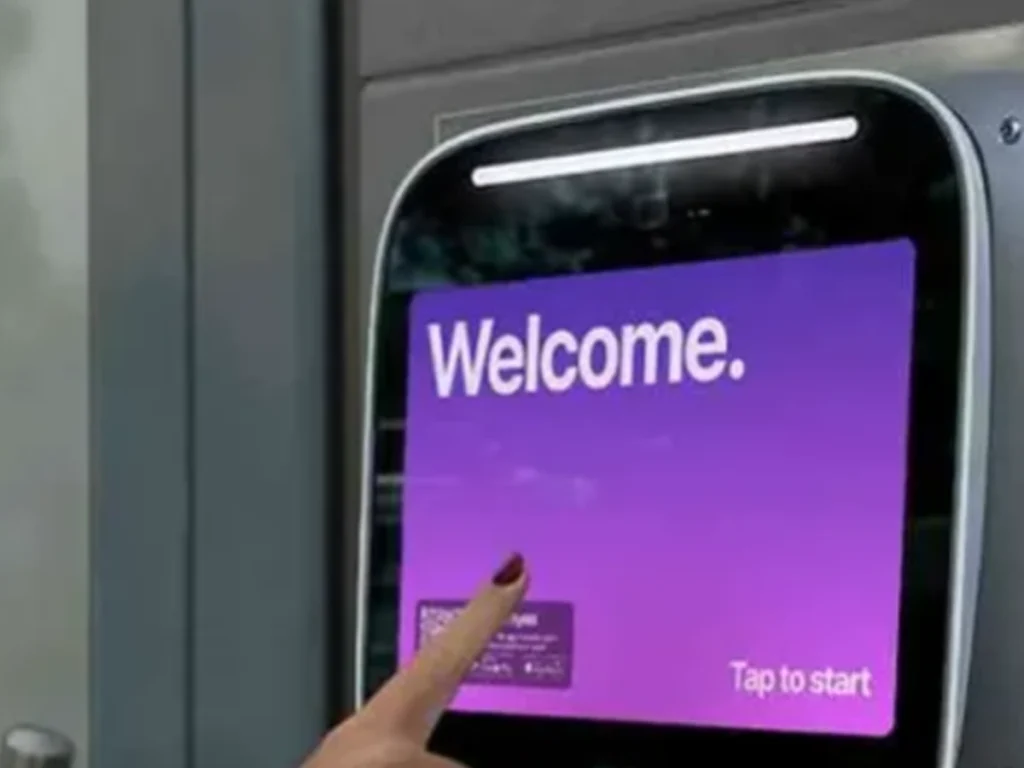
Here is a fact that may surprise many property owners. In 2019, the NIST face recognition study found false positive gaps of 10 to 100 times for some one to one checks. The gap depended on the algorithm and group. NIST tested 189 algorithms from 99 developers. Therefore, an AI based video gate intercom needs fair tests, safe parts, and clear human review.
- Careful testing helps reduce false matches and unfair user outcomes.
- Backup access and human review keep the entry process practical.
AI Overview: A Simple Blueprint for Safer Gate Access
- The system sees a face, checks access rules, and controls a gate relay.
- A strong design also keeps video calls, backup access, logs, and safe gate motion.
An AI based video gate intercom joins four jobs at one entry point. First, it lets a visitor call the home, office, or guard desk. Next, it sends live video and clear sound. Then, it can compare an enrolled face with a saved face template. Finally, it sends an open request when the access rules allow entry. FSS Technologies
However, the AI does not make the gate safe by itself. The full system still needs a listed gate operator and a sound network. It also needs photo eyes, edge sensors, loops, and a manual release plan. The owner also needs clear rules for consent, storage, removal, and staff review.
A good design gives people more than one way to enter. Approved users may use face access, a mobile pass, a card, or a code. Visitors can still press a call button. As a result, one failed face match does not cause a long lockout.
In simple terms, the AI should support the gate plan. It should not replace good judgment or the safety devices that guard gate motion.
Why This Powerful System Matters for Plano Properties
- It can cut slow manual checks while keeping a visible review path.
- It can join gate access, visitor calls, mobile tools, and event records.
Plano homes and businesses often need a better way to screen entry. A plain keypad may work for basic use. Yet codes can be shared, cards can be lost, and phone only systems can slow entry when staff miss calls.
By contrast, a video intercom adds sight and sound. The owner can see the visitor, hear the request, and choose a response. Facial recognition can add a fast option for enrolled users. Therefore, the main value is not just speed. The value comes from a layered entry plan.
For a home, the system can support keyless entry and remote visitor calls. For an office, it can route calls by team or tenant and remove access when a role ends.
Still, every site has a different risk level. A private driveway does not need the same rules as a warehouse. For this reason, the first expert task is to define the use case before choosing a screen or camera.
Property owners can also review custom gates with intercom options for better entry screening. The gate, intercom, and visitor plan should work as one system.
Ten Essential Parts That Make the System Work
- Each part must fit the site, weather, traffic level, and gate type.
- The weakest part can limit the speed, safety, or trust of the whole system.
1. Outdoor video station. This unit holds the camera, mic, speaker, call key, and face sensor. It needs a clear view in sun, shade, rain, and low light.
2. Face capture zone. The mount height, angle, distance, and light should guide users into a useful view.
3. Face match engine. The software turns face data into a math based template and checks it against approved users. Some products also keep source images. Therefore, owners must review storage settings.
4. Presentation attack checks. A secure unit should test for photo, phone, mask, and other spoof attempts. NIST found that no tested software caught every attack type. Thus, face access should remain one layer.
5. Access controller. This part checks who may enter, where access applies, and when it is valid.
6. Gate relay link. The controller sends an approved open request. It should never bypass the operator safety logic.
7. Two way call path. Visitors need a clear way to reach a resident, tenant, guard, or office.
8. Network and power. The system may use wired data, cellular service, local storage, or cloud tools. It also needs clean power, surge control, and backup.
9. Event logs. Useful logs may show calls, access grants, denials, device health, and rule changes. Keep only data needed for a clear purpose.
10. Gate safety devices. Photo eyes, sensing edges, vehicle loops, signs, and manual release plans help reduce harm. UL explains that UL 325 covers gate operator safety, while UL 294 covers access control units and related security performance.
Seven Proven Development Steps for Strong Results
- The work should move from clear goals to a measured field test.
- Each step should leave a record that staff can review later.
Step 1: Define the access goal. List family, staff, tenants, vendors, drivers, and guests. State who may use face access and who needs another path.
Step 2: Study the gate and site. Inspect traffic flow, gate motion, sight lines, sun, night light, drainage, conduit, network reach, and the driver stop point.
Step 3: Map the risks. A match may fail, a false match may occur, a visitor may show a photo, or power may fail. Therefore, each risk needs a safe response.
Step 4: Set privacy rules before enrollment. Decide what is captured and why it is needed. Then set access, storage, and deletion rules. In Texas, face geometry is named as a biometric identifier. Current law addresses notice, consent, care, disclosure, and later use. Owners should get legal advice for their exact use.
Step 5: Select and test the parts. Compare image quality, outdoor rating, storage, call routing, relay fit, update policy, and support. Then, test with the real gate and real light.
Step 6: Build the access rules. Give each role the right place, time, and credential. A delivery driver may need a one time pass, while a visitor may need a live call.
Step 7: Pilot, measure, and tune. Start with a small group. Track false denials, slow calls, weak night images, and user concerns. Expand only after the pilot is stable.
This method also fits gate access control upgrades that add property value. Better access comes from sound design, not one new device.
How Facial Recognition Makes a Match
- The camera must first capture a useful face image.
- The system should return a score, while policy decides the next action.
First, the camera finds a face and checks image quality. It may review pose, blur, light, eye view, and image size. Then, the model maps key face data into a number set called a face template or embedding.
Next, the system compares the new template with an enrolled template and returns a match score. However, the score is not final truth. The owner sets a match limit based on risk. A lower limit may admit more valid users, but it may raise false matches. A higher limit may reduce false matches, but it may deny more valid users.
Therefore, the setting should fit the site. A home may allow a second try and then show a call button. A business may ask for a mobile pass after a weak match. A high risk site may require two checks.
Image quality also matters. NIST reports that poor light and poor photo quality can raise errors. For this reason, a well placed light may improve results more than a costly software upgrade.
In our view, the best user flow is calm and clear. The screen should show where to stand, what happens next, and how to use a backup route.
Critical Privacy Rules That Build Trust
- Ask for clear consent before face enrollment where the law requires it.
- Keep the least data for the shortest useful time.
Privacy is part of system quality. Therefore, the owner should write the data plan before the first face is enrolled.
First, explain the purpose in plain words. State whether the system verifies enrolled users or scans all visitors. These are different uses with different risks.
Next, offer a real choice when possible. A person who does not want face access should have another safe path. Options include a card, phone pass, code, or call.
Then, limit data access. Only trained staff should add users, change rules, or export records. Use named accounts, strong sign in steps, and regular account reviews.
Also, set a removal rule. Delete a user when access ends, unless a valid legal need requires a set hold. Keep event video only as long as the stated purpose needs it.
Finally, check the vendor contract. Ask who owns the templates and where data is stored. Also ask about model training, backup deletion, and breach reports. The official Texas biometric identifier law is a useful starting point, but it is not legal advice.
Smart Safety and Cyber Controls That Reduce Risk
- Gate motion safety must stay separate from the face match decision.
- Network security should cover the device, app, controller, and update path.
A face match should only request gate access. It should not defeat photo eyes, edge sensors, vehicle loops, or the operator control board. The access system answers who may enter. The gate operator answers whether movement is safe.
UL states that UL 325 supports gate operator safety and entrapment protection. UL 294 addresses access control units, encrypted links, endurance, and standby power. Therefore, ask for listed parts that fit the full system. The UL guide to access control and gate operators gives a useful overview.
Cyber controls matter as well. Change default passwords, use named staff accounts, protect remote tools, and place gate devices on a managed network when possible.
The owner should ask how updates work. A device with no update plan may become a weak point. Yet an update should not be pushed during busy hours without a rollback plan.
Power loss also needs a clear response. The right mode depends on egress, fire access, gate type, and local rules. A qualified gate team and the authority with jurisdiction should review the final plan.
A Practical Plano Case Study and Expert View
- This is an illustrative case, not a claim about a named customer.
- It shows how design choices change when the site and users are clear.
Consider a Plano office with one vehicle gate and one walk gate. The site has 42 staff members, weekly vendors, and many visitor calls. The old keypad uses one shared code. Managers want faster staff entry and better visitor review.
First, the plan keeps the current operator only if inspection shows it is safe and compatible. Next, a video station is placed where drivers can stop without blocking the street. A second station serves the walk gate.
Staff may choose face access or a mobile pass. Vendors receive time based access. Guests press the call key and reach the front desk. After hours, calls route to an approved manager.
However, the face feature checks only enrolled users who choose that path. A weak match does not open the gate. Instead, the screen offers a mobile pass or a call.
The pilot starts with ten staff members. The team tests sun, shade, hats, glasses, rain, low light, a printed photo, and a phone image. The goal is to learn when a second factor is wise.
From an expert gate view, this plan is stronger than a face only design. It keeps the human call path, backup access, and separate gate safety controls.
For another local angle, see how Plano gate intercom systems support workplace entry.
Nine Questions Decision Makers Should Ask
- Good questions expose weak plans before money is spent.
- Written answers make vendor review and future service much easier.
- What exact problem will face access solve at this gate?
- Will the system verify enrolled users or search a larger image set?
- Where are face templates, images, calls, and logs stored?
- What happens when the internet, cloud, power, or app fails?
- Which backup credentials will remain available?
- How does the unit test for photos, phone images, and masks?
- Which gate operator and access parts have the right safety listings?
- How will users give consent, leave the program, and request removal?
- Who will test, update, audit, and service the system each year?
These questions help owners compare proposals on more than price. A low bid may leave out conduit, light, network work, surge control, or staff setup. Therefore, ask each bidder to state what is included.
A sound proposal should also name the test plan. It should cover day and night use, call quality, safe gate motion, backup power, user removal, and event review.
Five Common Mistakes That Can Weaken Results
- Most failures begin with poor planning, not weak AI alone.
- A simple backup path can prevent many user and service problems.
Buying by accuracy claims alone. A lab number may not match the site. Light, angle, face size, weather, and user mix can change results.
Using face access as the only credential. Glare, hats, injury, or camera faults can block a valid user. Therefore, keep another safe path.
Skipping consent and retention rules. Face data is sensitive. A vague policy can harm trust and raise legal risk.
Linking the intercom around gate safety controls. The access relay should request movement through the proper operator input. It should never bypass safe motion logic.
Ending the project at installation. Users, networks, and threats change. The owner needs audits, updates, cleaning, angle checks, and access reviews.
A service plan should test the camera, mic, speaker, call route, and relay. It should also test safety devices, network health, battery, and users. Finally, review failed matches and false alerts.
Owners can also learn from real time gate monitoring and modern property security.
Frequently Asked Questions
These questions reflect recurring gate intercom and access control themes found on relevant industry FAQ pages. FSS Technologies
What is an AI based video gate intercom?
An AI based video gate intercom combines a camera, speaker, microphone, call controls, and smart access software. It lets visitors speak with an approved person and may verify enrolled users. A safe design still includes backup credentials, privacy rules, and gate safety devices.
How does facial recognition work with a gate intercom?
The camera captures a face and checks quality. Next, software creates a number based template and compares it with approved records. The access policy then decides whether to open, request another credential, deny access, or start a video call. This step happens in seconds.
Can facial recognition work at night or in bad weather?
It can work in low light when the camera, lighting, mount, and cover fit the site. However, glare, rain, fog, dirt, and shadows can reduce quality. Therefore, test the site after dark and keep a card, mobile pass, code, or call option.
Is facial recognition secure enough to be the only gate credential?
For many sites, it should not be the only credential. Face systems can make false matches, miss valid users, or face spoof attempts. A layered plan is safer. A weak match can require a mobile pass, while a high risk site can require two checks.
Can an AI gate intercom connect with an existing automatic gate?
Often, yes. The controller may send an approved relay signal to the existing gate operator. However, the installer must check the operator inputs, safety devices, power, network path, and gate condition. The new intercom must not bypass safety logic. A field test should confirm proper operation.
Conclusion: A Safer Path to Smart Gate Access
- Start with the people, site, risks, and rules before choosing hardware.
- Keep face access as one useful layer within a complete gate system.
The development of an AI based video gate intercom system with facial recognition is not just a software task. It is also a gate, safety, privacy, network, and service task.
Therefore, the best result begins with a clear use case. It tests face matches in real light. It checks common spoof attempts.
In our opinion, the strongest system is easy to understand and manage. It should speed valid entry, support guest review, and remove old access fast.
Everlast Gates & Fence can help Plano owners plan the gate, intercom, controller, and safety parts as one system. A thoughtful design can improve entry without turning the gate into a source of stress.
At Everlast Gates & Fence, we also offer reliable gate and fence services tailored to residential and commercial properties. Specializing in installing, repairing, and maintaining iron and wood gates and fences along with expert solutions for electric gates, automatic gates, sliding gates, and driveway gates. We also provide professional gate diagnostics, access control systems, customized designs, and comprehensive security enhancements to meet your unique needs and let us ensure your gates are in expert hands so you can enjoy safety, style, and convenience with complete peace of mind.
Take the Next Step with Everlast Gates & Fence
- Request a site review for your gate, traffic flow, power, and network needs.
- Ask for a clear plan that covers access, privacy, safety, testing, and service.
Contact us at
Phone: 469 874 1186
Location: 1100 E Plano Pkwy suite 469, Plano, TX 75074
